





Atlassian's Data Center to Cloud: what the end of an era means for your business and how to control the costs
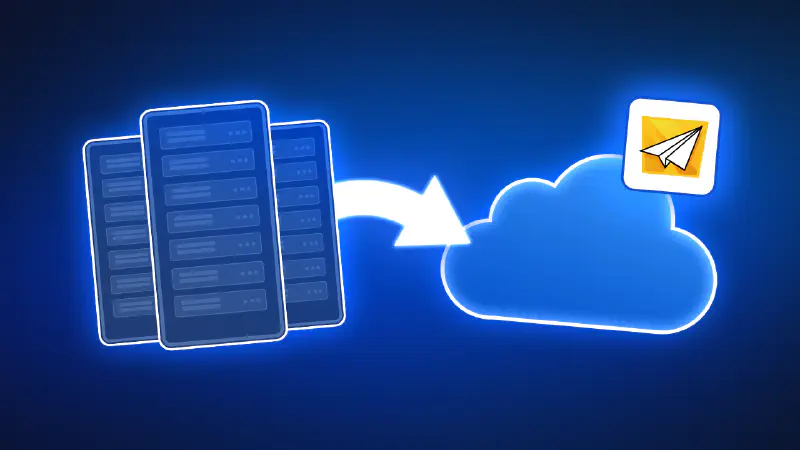
A while ago, Atlassian officially announced the gradual shutdown of its Data Center (DC) offerings, confirming what many enterprises had already suspected: the future of Atlassian is Cloud-only.
For organizations still running Confluence Data Center, this announcement raises important questions. What does this change really mean? How much time do you have? And most importantly, how can you migrate without exploding your license costs or compromising security?
Let’s break it down.
The end of the Data Center era
For years, Atlassian Data Center was the go-to choice for large enterprises. It offered performance at scale, advanced admin controls, and the ability to host Confluence behind corporate firewalls.
However, that chapter is now closing.
Why did this happen?
Atlassian’s decision to retire Data Center is not sudden. It’s the result of a long-term strategic shift toward cloud-first development. By focusing exclusively on Cloud, Atlassian can deliver new features and improvements faster without splitting resources across multiple deployment models. This shift also allows for deeper investment in security and compliance, with continuous monitoring and alignment to global standards that are difficult to maintain in self-managed environments. Cloud infrastructure offers greater scalability and resilience, enabling teams to grow and adapt without the operational burden of managing performance, upgrades, or availability. Most importantly, concentrating on Cloud makes it possible for Atlassian to fully integrate emerging technologies, such as AI-powered search, automation, and intelligent insights, across its entire product suite.
In short, Cloud is where Atlassian’s roadmap lives, and where all future innovation will continue to happen.
What this means for your business
If your organization is still running Confluence Data Center, this change directly affects you.
In practical terms, the end of the Data Center has very real consequences for organizations that delay migration. After March 2029, renewing or extending Data Center licenses will no longer be possible, effectively freezing your Atlassian environment in time. As licenses expire, instances will transition into a read-only state, preventing teams from creating, updating, or progressing work.
At the same time, Marketplace apps built for Data Center will lose support, exposing organizations to growing operational and security risks as integrations break and vulnerabilities go unpatched. Without a timely migration to the Cloud, companies may also face increasing compliance gaps, reduced system reliability, and a gradual but unavoidable decline in team productivity.
The Official Timeline
-
March 30, 2026
Sales of Data Center licenses and Marketplace apps will stop for new customers. -
March 30, 2028
Existing customers will no longer be able to renew, upgrade, or purchase Data Center licenses or Marketplace apps. -
March 30, 2029
Data Center reaches full end-of-life: all licenses and apps expire, and instances switch to read-only mode.
The clock is ticking, but there is time to plan the change smartly.
It’s all about the money… and security
While Cloud brings clear benefits, many enterprises quickly discover a painful reality during migration: cost structures change significantly.
What do you save on with Cloud:
-
No infrastructure to maintain
-
Reduced operational overhead for IT teams
-
No upgrades, patching, or scaling concerns
What you potentially lose:
-
Data Center advantage:
In DC, many organizations relied on public spaces behind the firewall, allowing internal employees to access Confluence without individual licenses -
Cloud limitation:
In Cloud, public spaces are truly public (accessible to everyone on the internet), eliminating the controlled, internal-only access model -
Cost impact:
Cloud pricing is strictly per-user, often higher than DC equivalents, forcing companies to license every employee who needs access to the company instance
For knowledge-heavy organizations, this shift can significantly increase annual licensing costs.
What can you do?
First of all: don’t panic.
Thousands of organizations are facing the same challenge, and there are proven ways to migrate responsibly. There are some common migration paths.
First, there are Atlassian migration tools available, called Cloud Migration Assistants (JCMA for Jira, CCMA for Confluence), for standard DC to Cloud transfers, that allow you to proceed with the migration yourself. The second option is to use a third-party vendor migration tool for more complex data structures and customizations. And last, but not least, you can ask for support of an Atlassian Solution Partner (like Idalko or Appfire ) who offers assessments, custom planning, app migration, and end-to-end support for complex cases. These experts reduce risks via audits, timelines, and post-migration governance.
But even after migration logistics are solved, one question remains: what about the costs?
A smarter way to control cloud licensing costs - External Share
External Share for Confluence and for Jira addresses one of the biggest Cloud migration pain points: how to give access to knowledge without licensing everyone.
Instead of adding users to your Cloud instance, you can securely share Confluence content with internal employees, contractors, or partners, without increasing your Atlassian license count. Why it may be the right solution for you:
-
Cost reduction: allow internal employees or external stakeholders to access Confluence knowledge without consuming Cloud licenses
-
Security first: SSO protection, domain restrictions, expiration dates, and access controls ensure enterprise-grade security
-
Familiar experience: shared pages retain native Confluence look and behavior, no confusing portals or exports
-
Bidirectional communication: allow optional comments, adding attachments, or even page editing to make the collaboration possible without granting full access to the whole instance
This approach allows organizations to recreate the Data Center “internal access” model in the Cloud, securely and compliantly.
A story from an expert - Idalko
At Idalko, we’ve been supporting large and complex Atlassian environments for years, including organizations running Confluence Data Center at scale. What we see most often is not resistance to the Cloud itself, but fear of losing control: over costs, security, governance, and the way teams actually work day to day.
In several recent migrations, companies came to us after realizing that a “lift-and-shift” approach was not enough. The technical migration was only one part of the challenge. The real work started when redefining access models, cleaning up legacy content, reassessing Marketplace apps, and ensuring that Cloud governance would scale just as well as Data Center once did.
We’re also deeply aware of the human factor behind these transitions: tools should support teams, not slow them down or force new friction into their daily work. Our role is to help organizations move to the Cloud without breaking what already works. That means taking the time to assess usage patterns, identify who truly needs licensed access, and design a target architecture that is secure, compliant, and financially sustainable.
In many cases, combining a well-planned Cloud migration with solutions like External Share allows companies to preserve their internal knowledge-sharing culture while keeping licensing costs under control.
Cloud migration is not a deadline-driven emergency - it’s a strategic transition. Done right, it becomes an opportunity to simplify, modernize, and future-proof collaboration across the entire organization.
Summary
The end of Confluence Data Center marks a major shift, but it doesn’t have to be a painful one. While Cloud migration is mandatory at some point, how you migrate makes all the difference. With the right tools and strategy, you can modernize your collaboration stack, maintain high security standards, and avoid unnecessary licensing costs.
External Share for Confluence helps enterprises bridge the gap between Data Center and Cloud reality, ensuring that knowledge remains accessible, secure, and cost-effective during and after migration.